
How to Use AI for Simple Face Swaps and Voice Creation: A Beginner’s Guide
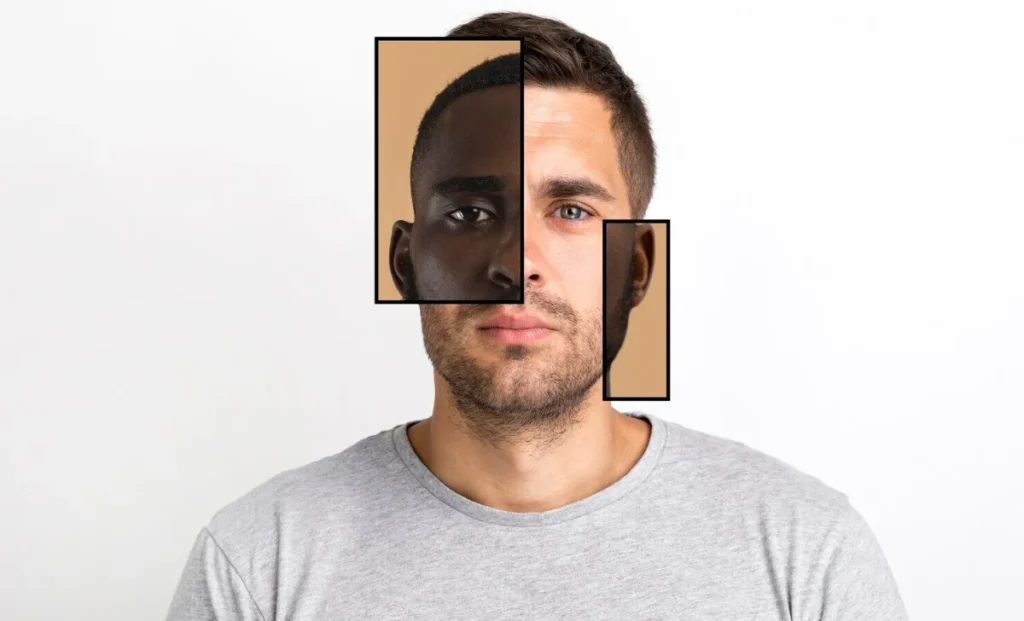
AI has changed the way people create video content. Tasks that once took hours of editing can now be done inside a browser in just a few clicks. Two tools that have grown especially popular are face swap video generators and text to speech engines.
Each tool enables creators to produce compelling content without costly equipment or advanced know-how. Whether you want to make fun short clips, enhance marketing videos, or create new characters for stories, these tools make the entire process much faster and easier.
This guide will explain the functions of these tools, their benefits, and how to apply them to create authentic, understandable videos.
What Is a Face Swap Video Tool?
A face swap video tool lets you replace the face of a person in a clip with another face. The AI maps facial landmarks, aligns expressions, adjusts lighting, and blends the new face into the scene so the swap looks consistent. You upload a base video, choose the face you want to add, and the tool generates a new clip.
People use face swapping for different reasons:
- creating fun social media content
- testing ideas for character-based stories
- producing short reaction or meme clips
- experimenting with creative concepts without filming new footage
These tools help beginners and experienced creators achieve results that previously required complex editing software.
How Face Swap Video Tools Work
Most platforms follow a simple process:
- Upload a Video
Choose a short clip with clear facial movement. Higher quality inputs lead to superior outcomes. - Add the Face to Swap In
Upload a picture or choose from a preset. Front-facing photos with neutral lighting work best. - Preview and Adjust
The AI aligns expressions, adjusts color tones, and blends the new face automatically. Some tools let you fine-tune details. - Generate and Export
After processing, you download the final video and use it anywhere you like.
The processing happens online, so you don’t need a high-powered computer. Even beginners can create a smooth swap within minutes.
Ethical Use Matters
While face swapping can be entertaining, responsible use is important. Only utilize images of people for whom you have obtained consent. Avoid misleading content or videos that confuse viewers. Many creators use their own photos or stylized images to keep things clear and safe.
What Is Text to Speech?
Text to speech tools transform typed words into audio that sounds human. You type your script, choose a voice style, and the AI generates clean speech. This is helpful for users who want consistent narration, clear voiceovers, or videos without recording their own voice.
Common uses include:
- explainer videos
- product demos
- tutorials
- audiobooks
- short social clips
- announcements or training content
With multiple voice tones and languages available, you can create content for different audiences without extra tools.
How to Employ Text-to-Speech to Enhance Your Videos
- Write a Simple Script
Direct sentences are easier for an AI voice generator to deliver smoothly. Short paragraphs work well for social videos. - Choose the Right Voice
Most tools include male, female, and neutral voices. Some also offer professional-style tones for presentations. - Adjust Speed and Pauses
Pacing is important. Slow pacing helps educational videos, while faster pacing suits short social content. - Export and Add to Your Project
Once your audio is ready, you can use it in video editors, slide presentations, reels, or animations.
This process removes the stress of recording, retaking, or cleaning up background noise.
Combining Face Swap and Text to Speech
Using both tools together opens up even more creative possibilities. For example:
- Create a character using a face swap and give it a voice through text to speech.
- Make short clips featuring different faces and unique voices.
- Build training videos using an AI narrator and a character presenter.
- Produce engaging announcements or ads without appearing on camera.
These combinations make content creation fast and flexible. You only need a script, a photo, and a video clip to build something new.
Tips for Better Results
- Employ sharp, detailed pictures. AI performs better when details are sharp.
- Keep videos short when starting out. This helps you test ideas before making longer clips.
- Match tone to content. A calm voice works for tutorials; energetic voices help with promotions.
- Preview before exporting. Small adjustments often improve the final output.
- Experiment with lighting and angles. Good source material results in better face swaps.
These small steps help your videos feel more natural and polished.
Who Benefits From These Tools?
Creators in many fields can take advantage of face swapping and AI voice generation:
- Educators: Build lessons without recording many takes.
- Marketers: Create quick product explainers or localized versions.
- Social media managers: Produce fresh content daily.
- Small businesses: Make videos without hiring a team.
- Hobbyists: Experiment with fun, shareable clips.
AI tools lower the barrier for anyone who wants to create something without investing in studio equipment.
Final Thoughts
Face swap video tools and text to speech engines have made video creation more accessible than ever. With a few clicks, you can generate clips, narrations, and character-based content that once required advanced editing skills. Whether you are making content for work or for fun, these tools give you a simple way to bring your ideas to life.
